
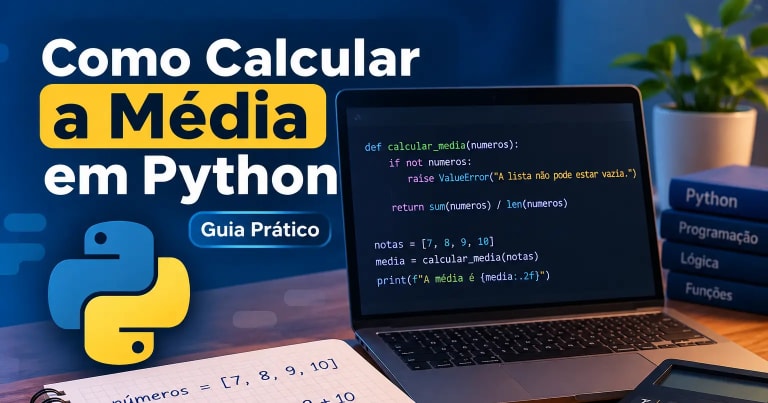
Calculating the arithmetic mean is one of the most useful mathematical operations for anyone learning programming. In Python, you can perform this calculation using built-in functions such as sum() and len(), or use the statistics module, which is already part of the language's standard library.
In this tutorial, you will learn how to calculate the mean in Python, organize code with functions, receive numbers entered by the user, and handle common errors. We will also look at practical examples involving student grades and monthly expenses.
What is the arithmetic mean?
The arithmetic mean is calculated by adding all the values in a set and dividing the result by the number of values.
Imagine that a student received the following grades:
notas = [7, 8, 9, 10]To calculate the mean, we first add the grades:
7 + 8 + 9 + 10 = 34Next, we divide the total by the number of grades, which is four:
34 / 4 = 8.5Therefore, the arithmetic mean of these grades is 8.5.
In Python, we can implement this operation in different ways. Let's start by using two very common functions: sum() and len().
How to calculate the mean using sum() and len()
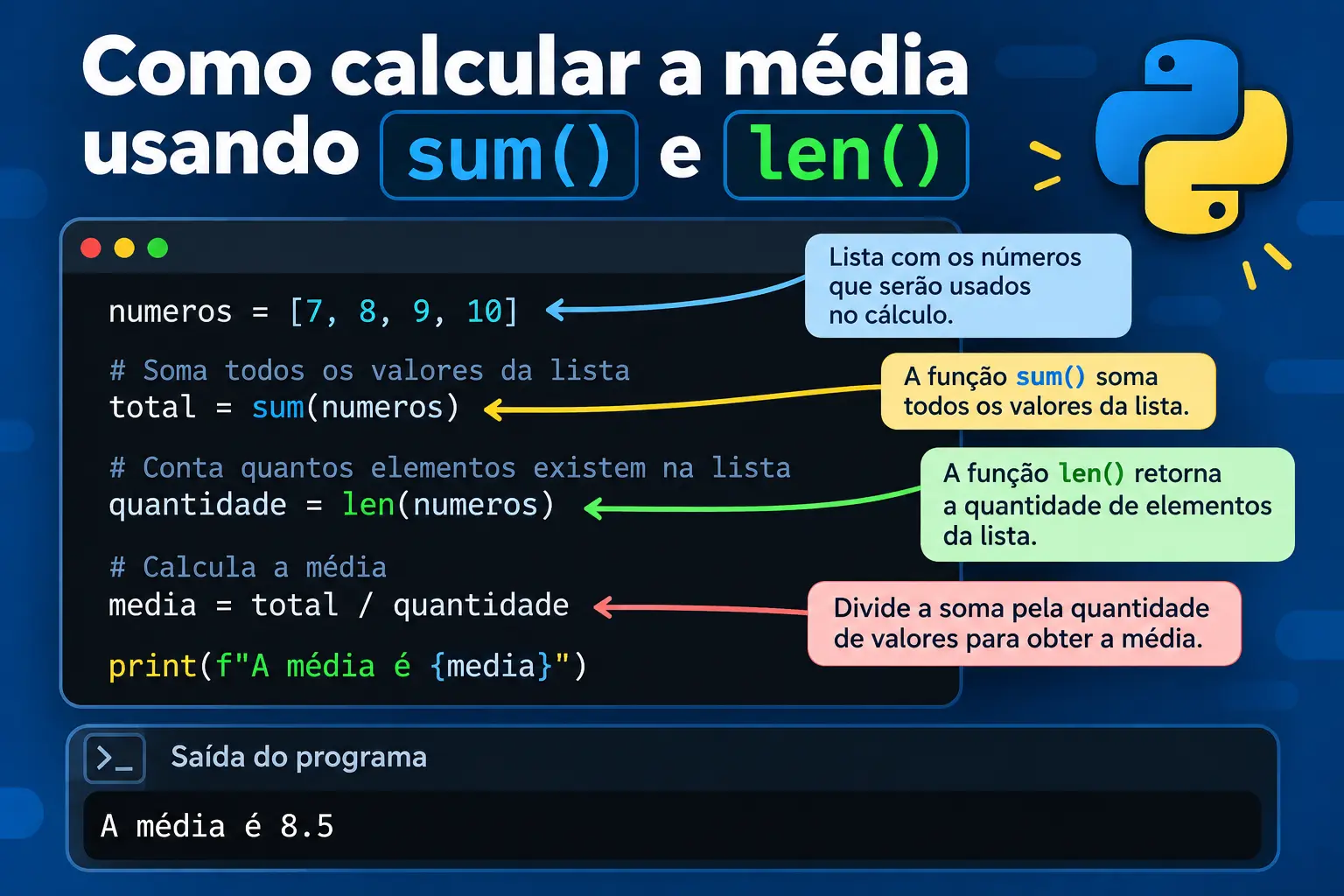
The sum() and len() functions let you calculate the mean of a list of numbers without having to add each element manually.
The sum() function returns the sum of the values in a numeric iterable. Meanwhile, len() returns the number of elements in a sequence, such as a list.
Here is an example:
numeros = [7, 8, 9, 10]

total = sum(numeros)
quantidade = len(numeros)

media = total / quantidade

print(f"The mean is {media}")
The output will be:
The mean is 8.5Let's look at each part of the code.
-
numeros: stores the values in a list. -
sum(numeros): adds all the numbers and returns34. -
len(numeros): counts the list elements and returns4. -
total / quantidade: divides the sum by the number of values. -
print(): displays the result on the screen.
We can also write the calculation more compactly:
numeros = [7, 8, 9, 10]

media = sum(numeros) / len(numeros)

print(f"The mean is {media}")
Both versions produce the same result.
The first version, however, makes the calculation steps more explicit. If you are learning how to organize code, using variables such as total and quantidade can make the program easier to read and debug.
Note: if the list is empty, len(numeros) will return zero. In that case, the division will raise a ZeroDivisionError. Therefore, we need to check whether any values exist before calculating the mean.
How to calculate the mean using the statistics module
Python also provides the statistics module, which brings together statistical functions that are ready to use.
To calculate the arithmetic mean, we can use statistics.mean().
Here is an example:
import statistics

numeros = [7, 8, 9, 10]

media = statistics.mean(numeros)

print(f"The mean is {media}")
The output will be:
The mean is 8.5Notice the first line:
import statisticsIt imports the module that contains the function responsible for the calculation.
Then, we use:
statistics.mean(numeros)The function receives the list and returns the arithmetic mean of its values.
We can also import only the function we need:
from statistics import mean

numeros = [7, 8, 9, 10]

media = mean(numeros)

print(f"The mean is {media}")
In this case, we do not need to write statistics.mean(). We can simply call mean() directly.
Which method should you use?
Both methods are useful, but they serve slightly different purposes.
| Method | When to use it |
|---|---|
sum() and len() |
When you want to understand or implement the calculation directly. |
statistics.mean() |
When you want to use a ready-made function to calculate the mean. |
The statistics.mean() function is part of Python's standard library. Therefore, you do not need to install external libraries to use it.
For details about how it works, see the official statistics module documentation.
How to calculate the mean of a list of numbers
So far, we have used lists whose values were already defined in the code. However, in a real program, the numbers may be entered by the user.
A good way to organize this type of operation is to create a function that receives a list and returns the calculated mean.
Here is a simple implementation:
def calcular_media(numeros):
    return sum(numeros) / len(numeros)


notas = [7, 8, 9, 10]

media = calcular_media(notas)

print(f"The mean is {media}")
The result will be:
The mean is 8.5Let's examine the function:
def calcular_media(numeros):
    return sum(numeros) / len(numeros)
The def keyword begins a function definition. The numeros parameter receives the list that will be used in the calculation.
The return statement sends the result back to the part of the program that called the function.
This allows us to reuse the same calculation with different sets of data:
notas = [7, 8, 9, 10]
despesas = [100, 150, 200]

print(calcular_media(notas))
print(calcular_media(despesas))
The first call calculates the mean of the grades. The second calculates the mean of the expenses.
The function does not need to be rewritten for each situation. Simply provide a different list.
This separation is important because it allows the calculation logic to be reused in different parts of the program.
How to handle empty lists and invalid values
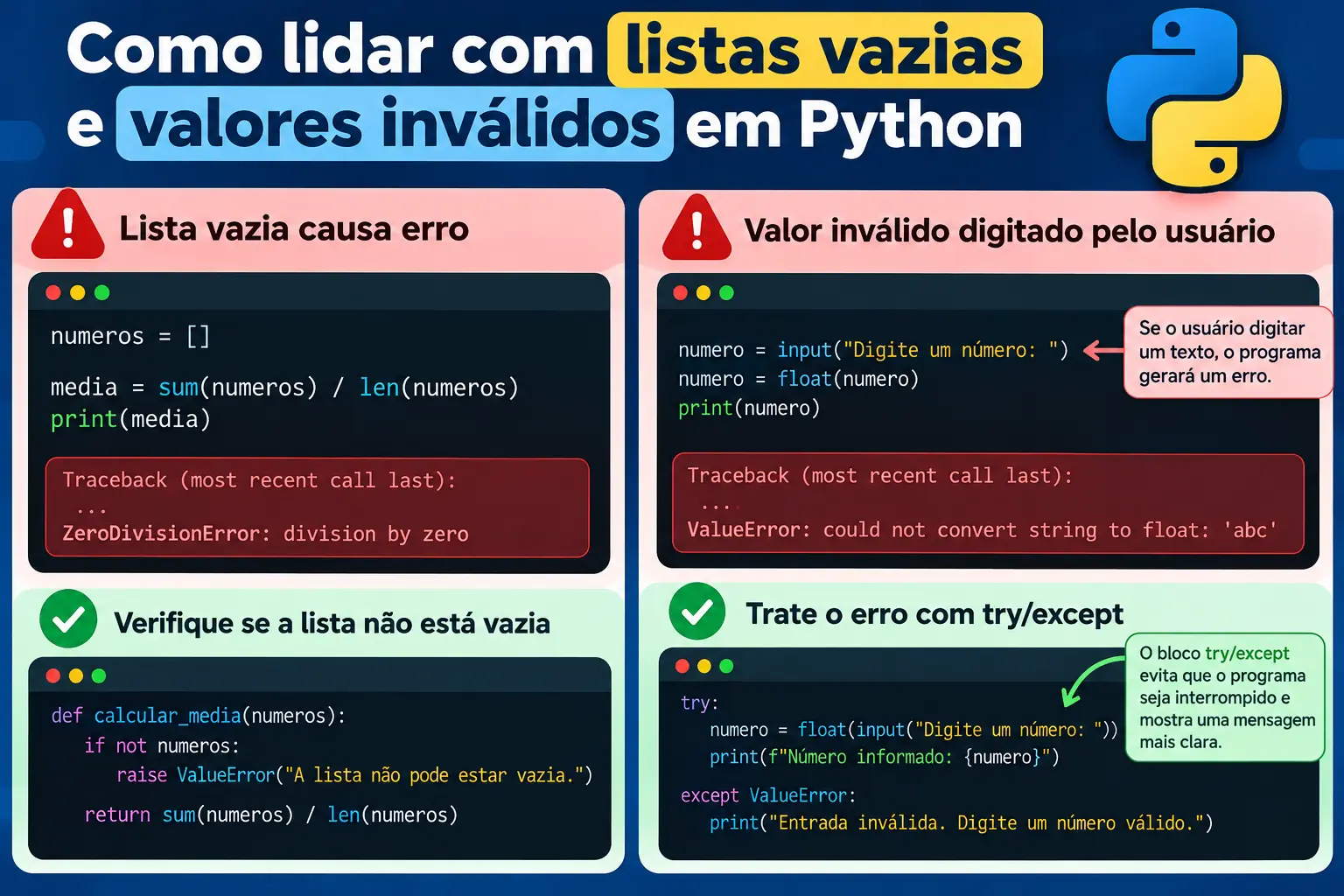
A program that calculates means needs to account for situations in which the received data is invalid.
Two common problems are trying to calculate the mean of an empty list and receiving text when the program expects a number.
1. Avoid division by zero
Consider the following function:
def calcular_media(numeros):
    return sum(numeros) / len(numeros)
It works when the list contains numbers, but fails when it receives an empty list:
numeros = []

media = calcular_media(numeros)
Because the number of elements is zero, Python cannot perform the division.
We can solve this problem by checking the list before the calculation:
def calcular_media(numeros):
    if not numeros:
        raise ValueError("The list cannot be empty.")

    return sum(numeros) / len(numeros)
The expression if not numeros checks whether the list is empty.
If it is, raise ValueError() stops the operation and indicates that the supplied data is not suitable for the calculation.
This approach is useful when we want the calculation function to explicitly reject invalid input.
2. Convert inputs to numbers
The input() function receives information entered by the user, but returns a string, meaning text.
For example:
numero = input("Enter a number: ")Even if the user enters 8, the value received will be the text "8".
To perform mathematical operations, we need to convert this text to a numeric type. The float() function lets us perform this conversion:
numero = float(input("Enter a number: "))The value can then be used in calculations involving integers or decimal numbers.
However, if the user enters something like abc, the conversion will raise a ValueError.
We can handle this error using try and except:
try:
    numero = float(input("Enter a number: "))
    print(f"Number entered: {numero}")

except ValueError:
    print("Invalid input. Enter a valid number.")
The try block contains the operation that may fail. If the conversion raises a ValueError, the except block runs and displays a clearer message.
To learn more about this topic, see the official Python documentation on errors and exceptions.
Practical examples with student grades and monthly expenses
Now that we understand the calculation, functions, and error handling, we can apply these concepts to everyday situations.
Example 1: Calculate a student's average grade
Imagine a program that receives a student's grades and calculates the average.
We can separate data collection from the function responsible for the calculation.
def calcular_media(numeros):
    if not numeros:
        raise ValueError("Enter at least one grade.")

    return sum(numeros) / len(numeros)


notas = [7, 8, 9, 10]

media = calcular_media(notas)

print(f"Student average: {media:.2f}")
The output will be:
Student average: 8.50The :.2f format displays the result with two decimal places.
This function can be used to calculate averages for different students without duplicating the calculation logic.
Example 2: Calculate average monthly expenses
The same reasoning can be used to analyze spending.
Imagine that someone recorded the following expenses:
despesas = [120.50, 89.90, 150.00]

media = calcular_media(despesas)

print(f"Average expense: R$ {media:.2f}")
The output will be:
Average expense: R$ 120.13In this example, we calculate the arithmetic mean of three values. This does not necessarily mean that the result represents spending for every month of the year; it represents the average of the values provided.
This example shows how the same function can be reused in different contexts, provided the data consists of numeric values suitable for the calculation.
How to organize code using separate functions
When a program starts receiving user input, validating entries, and performing calculations, putting everything in a single block can make it harder to understand.
An alternative is to split the program into functions with specific responsibilities.
In this example, we will use three functions:
-
coletar_numeros(): asks how many numbers there are and receives the values. -
calcular_media(): checks the list and calculates the mean. -
main(): coordinates execution and displays the result.
Here is the complete program:
def coletar_numeros():
    while True:
        try:
            quantidade = int(
                input("How many numbers would you like to enter? ")
            )

            if quantidade <= 0:
                print("Enter a quantity greater than zero.")
                continue

            break

        except ValueError:
            print("Enter a valid whole-number quantity.")

    numeros = []

    for i in range(quantidade):
        while True:
            try:
                numero = float(
                    input(f"Enter number {i + 1}: ")
                )

                numeros.append(numero)
                break

            except ValueError:
                print("Invalid input. Enter a valid number.")

    return numeros


def calcular_media(numeros):
    if not numeros:
        raise ValueError("The list cannot be empty.")

    return sum(numeros) / len(numeros)


def main():
    numeros = coletar_numeros()
    media = calcular_media(numeros)

    print(f"The mean of the numbers is {media:.2f}")


if __name__ == "__main__":
    main()
How does this program work?
1. The coletar_numeros() function receives the number of values.
The input() statement asks for the number of values, and int() converts the input to an integer.
The try/except block handles inputs that cannot be converted to integers. The condition quantidade <= 0 prevents the program from continuing with an invalid quantity.
2. The program asks for each number.
The for loop repeats the prompt for the specified number of times.
Each input is converted using float() and added to the list using append(). If the user enters an invalid value, the program displays a message and asks for the same number again.
3. The calcular_media() function performs the calculation.
This function receives the completed list and checks whether it is empty before performing the division.
Data collection is kept separate from the mathematical rule, making the code easier to reuse and maintain.
4. The main() function organizes execution.
The main function first calls the number-collection function and then calculates the mean.
This organization makes it easier to identify where each task takes place.
5. The execution block protects the main call.
The condition:
if __name__ == "__main__":
    main()
ensures that main() runs when the file is started directly. It also makes it easier to import the functions into another file without automatically running the main program.
What does execution look like?
One possible run would be:
How many numbers would you like to enter? 3
Enter number 1: 7
Enter number 2: 8
Enter number 3: 9
The mean of the numbers is 8.00
The program receives the values, stores them in a list, and calculates the mean.
This example shows how code that already performs a mathematical operation can be organized into a clearer, reusable structure that is easier to extend.
Conclusion
Calculating the mean in Python is a good opportunity to practice lists, functions, variables, and error handling.
With sum() and len(), you can implement the calculation directly. With statistics.mean(), you can use a ready-made function from the standard library.
When receiving numbers with input(), it is important to convert the values to a numeric type and handle invalid input. You also need to prevent the calculation from running on an empty list.
Beyond knowing the formula, learning to separate data collection, calculation, and program execution helps you create code that is better organized and easier to maintain.
Want to learn how to organize your programs better and reuse functions? Continue learning with our tutorial on Python Functions: Examples.