
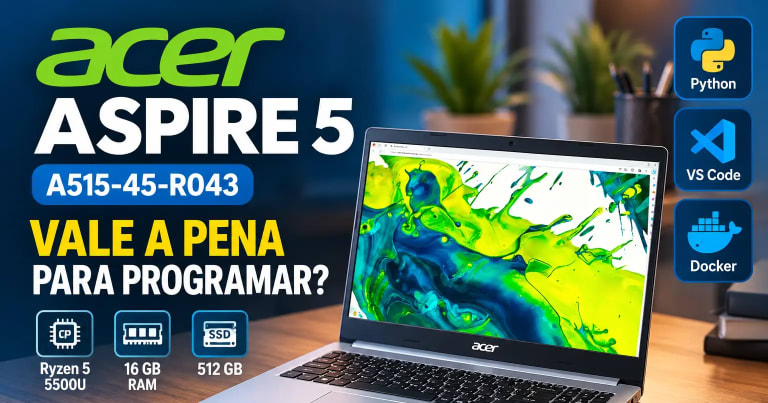
Choosing a laptop for programming involves more than looking at the processor or the amount of RAM. You also need to consider the tools you use, the types of projects you develop, and the computer's ability to run multiple tasks simultaneously.
The Acer Aspire 5 A515-45-R043, equipped with an AMD Ryzen 5 5500U, 16 GB of RAM, and a 512 GB SSD, is worth considering if you are just getting started with programming or looking for a laptop to study and develop applications.
This article combines the laptop's specifications with the author's real-world experience using this model to study and program with Python, Visual Studio Code, and Docker Desktop with WSL 2 on Windows 11 Home. According to the author's experience, its performance meets current needs, even when several tools are running simultaneously.
The goal is to explain where this configuration makes sense, what its limitations are, and what you should check before buying.
Acer Aspire 5 A515-45-R043 Specifications
Before evaluating its programming performance, it is worth reviewing the laptop's main components.
| Specification | Feature |
|---|---|
| Model | Acer Aspire 5 A515-45-R043 |
| Processor | AMD Ryzen 5 5500U |
| Cores and threads | 6 cores and 12 threads |
| RAM | 16 GB DDR4 |
| RAM frequency | 3200 MHz, according to the listing |
| Storage | 512 GB SSD |
| Graphics | Integrated AMD Radeon graphics |
| Operating system | Windows 11 Home |
| Display | 15.6-inch Full HD |
| Resolution | 1920 × 1080 pixels |
| Refresh rate | 60 Hz |
| Video connectivity | HDMI |
| Listed weight | Approximately 1.7 kg |
The processor specifications can be checked in the official AMD documentation. The remaining details should be verified in the documentation for the exact laptop variant, as listings within the same product family may differ. Check the Acer Aspire 5 price and availability on Amazon
For programming, the three most important components in this configuration are the processor, RAM, and SSD. Together, they affect the laptop's ability to run development tools, keep applications open, and work with local projects.
Ryzen 5 5500U: Is It Good Enough for Programming?
The AMD Ryzen 5 5500U is a mobile processor with six cores and 12 threads, a base clock of 2.1 GHz, and a maximum boost clock of up to 4 GHz, according to the manufacturer.
This configuration provides the resources needed for different development tasks, including:
-
Python programming.
-
Website and web application development.
-
Running Visual Studio Code and other code editors.
-
Installing dependencies and running scripts.
-
Compiling projects supported by the processor.
-
Running containers for development environments.
-
Browsing with multiple tabs open while using a development environment.
It is important to understand that the number of cores alone does not determine performance. Results also depend on the software's resource requirements, the laptop's cooling system, its configuration, and the workload.
For those studying programming fundamentals, developing APIs, or creating web applications, the Ryzen 5 5500U is a reasonable configuration for these activities.
Projects involving very demanding compilations, large codebases, or intensive processing may require more resources and longer execution times.
My assessment: the processor is one of this laptop's strengths for general programming and web development, although it does not guarantee high performance for every project.
Is 16 GB of RAM Enough for Software Development?

RAM deserves special attention because development tools often run simultaneously. Check the Acer Aspire 5 price and availability on Amazon
A development environment may include a code editor, a browser with multiple tabs, a terminal, a local server, a database, and other services.
When using Docker, containers also consume computer resources while running.
The Acer Aspire 5's 16 GB of RAM provides a reasonable amount of memory for this type of workflow, especially for students and developers working on small and medium-sized projects.
What Can You Do with 16 GB of RAM?
Tasks compatible with this configuration include:
-
Learning Python with VS Code open.
-
Running web applications locally.
-
Keeping a browser open while developing.
-
Working with several containers simultaneously.
-
Running terminal and debugging tools.
-
Switching between different programming and learning tasks.
This does not mean 16 GB will be enough for every scenario. The number of containers, each application's memory usage, and the memory allocated to the Linux environment can significantly affect performance.
If you plan to run several resource-intensive services, large databases, and multiple virtual machines simultaneously, memory may become a limitation.
Can the RAM Be Upgraded?
This is something worth checking before buying.
The product listing states that the laptop comes with 16 GB installed and also provides information about maximum capacity and upgrade options. Since these details are not entirely consistent, it would not be appropriate to guarantee that this model supports additional RAM upgrades.
Check the manual and official specifications for the A515-45-R043 variant, or contact Acer support before planning an upgrade.
512 GB SSD: Is There Enough Space for Programming Projects?
The 512 GB SSD is another advantage for those using the laptop to study and develop applications.
Compared with a traditional hard drive, an SSD generally offers lower latency and faster file access. This helps with system startup, application loading, and project file handling.
For a developer, the storage can be used to:
-
Install Python, VS Code, and other tools.
-
Store repositories and personal projects.
-
Keep virtual environments and dependencies.
-
Store Docker images and containers.
-
Run local databases.
-
Download study materials and documentation.
However, the full 512 GB will not be available for your projects. Windows, installed applications, personal files, and development data also take up space.
Docker images, persistent volumes, dependencies, and databases can grow significantly over time.
A good practice is to remove resources you no longer need, keep backups of your projects, and monitor the available SSD space.
Can the Storage Be Upgraded?
The product listing mentions the possibility of installing an additional SATA SSD or hard drive. However, you need to confirm whether the physical space, cable, connector, and other required components are present in your specific unit.
Do not purchase an additional storage drive based solely on a generic product description. Check the documentation for the exact variant and contact Acer support if necessary.
Acer Aspire 5 for Python and Visual Studio Code
Python and Visual Studio Code are common tools for people learning to program and developing applications.
VS Code offers features such as syntax highlighting, debugging, extensions, terminal integration, and support for Python environments through its Python tools. The official documentation explains the installation and configuration process in the Python tutorial for VS Code.
On the Acer Aspire 5, the combination of the Ryzen 5 5500U, 16 GB of RAM, and an SSD allows you to work on tasks such as:
-
Creating scripts to automate tasks.
-
Learning data structures and algorithms.
-
Developing APIs and web applications.
-
Using Python virtual environments.
-
Installing libraries and dependencies.
-
Running tests and debugging programs.
-
Working with Git and code repositories.
Actual results depend on the application and the libraries used. A simple script does not require the same resources as a data science project processing large amounts of information.
For students and web developers, however, this configuration is a suitable starting point for a variety of activities. Check the Acer Aspire 5 price and availability on Amazon
Docker Desktop with WSL 2 on Windows 11 Home
One of the most relevant aspects of this review is the laptop's real-world use with Docker Desktop, WSL 2, and Windows 11 Home.
Docker allows you to create and run containers that package applications and their dependencies. This helps maintain more consistent development environments and makes it easier to work with services such as databases, APIs, and web applications.
WSL 2, in turn, allows you to run a Linux environment integrated with Windows. Docker Desktop can use this backend to run Linux containers.
The official documentation explains the requirements and configuration process in the Docker Desktop with the WSL 2 backend guide.
How Does This Configuration Help with Programming?
With Docker Desktop and WSL 2, you can organize development environments without having to install every service directly on Windows.
For example, a web project might use:
-
An application developed in Python.
-
A database running in a container.
-
An additional service for processing tasks.
-
A development environment integrated with VS Code.
The number of services running simultaneously affects memory and processor usage. Lightweight containers may run comfortably, while environments with several resource-intensive services may require adjustments.
According to the author's reported experience, the Acer Aspire 5 meets current study and programming needs with Docker, VS Code, and Python, including when several tools are used simultaneously.
This experience is useful as a reference, but it is not equivalent to a standardized benchmark. Results for other users may vary depending on their projects, the images they use, and the number of active services.
Does Windows 11 Home Support Docker?
Yes, with an important distinction: Docker Desktop supports Linux containers on Windows Home through WSL 2. Running Windows containers, however, requires compatible Windows editions, such as Pro or Enterprise, according to the official Docker Desktop installation documentation for Windows.
Therefore, Windows 11 Home does not prevent you from using Docker for the Linux container-based development workflow described in this article. Check the Acer Aspire 5 price and availability on Amazon
Can You Use Linux on This Acer Aspire 5?

Yes, there are ways to use Linux, but it is important to distinguish between two situations.
The first is running a Linux distribution through WSL 2 while keeping Windows as the main operating system. This is the approach used in the development environment described by the author.
The second is installing a Linux distribution directly on the laptop, either replacing Windows or setting up a dual-boot system.
In the second scenario, you should check hardware support, especially for Wi-Fi, audio, graphics, sleep and resume, and power management. Compatibility may vary depending on the distribution, kernel, and available drivers.
For those who want to learn Linux commands, use terminal tools, and develop applications with containers, WSL 2 may be sufficient without replacing Windows.
Is the Laptop Suitable for Virtual Machines?
The Acer Aspire 5 can be used for virtualization tasks supported by its processor and operating system, but it is important to consider the available resources.
A virtual machine runs a guest operating system and consumes part of the host computer's RAM, processing power, and storage.
With 16 GB of RAM, you can study virtualization and work with modest setups, provided that the amount of memory allocated to each virtual machine is appropriate.
On the other hand, running several virtual machines simultaneously, each with demanding services and applications, may reduce system responsiveness.
If your workflow depends on complex labs, multiple virtual servers, or large-scale infrastructure environments, a laptop with more memory and processing capacity may be more suitable.
Integrated AMD Radeon Graphics: What Are the Limitations?
This model uses AMD Radeon graphics integrated into the processor and, according to the listed specifications, does not include a dedicated graphics card.
For web development, Python, code editing, and running everyday applications, a dedicated GPU is usually unnecessary.
The limitations become more noticeable in tasks that require greater graphics performance, such as:
-
Demanding modern games.
-
3D rendering.
-
Intensive video editing.
-
Professional graphics applications.
-
Certain GPU-accelerated artificial intelligence tasks.
Docker documentation also highlights specific requirements for GPU acceleration in Windows containers. The documented support for this capability uses compatible NVIDIA GPUs, which should not be confused with simply having integrated graphics in the laptop. See the official Docker Desktop GPU documentation.
For web development and general programming, this limitation tends to have little impact. If you plan to work with computer graphics, rendering, or AI models that depend on GPU acceleration, consider a different type of laptop.
Acer Aspire 5: Advantages and Disadvantages for Programming
After reviewing the components and development environment, we can summarize the main advantages and limitations.
Advantages
-
Ryzen 5 with six cores and 12 threads: provides resources for programming and general development tasks.
-
16 GB of RAM: supports running development tools, browsers, and services simultaneously.
-
512 GB SSD: provides project storage and fast file access.
-
15.6-inch Full HD display: offers a comfortable workspace for code, terminals, and documentation.
-
Compatibility with the author's development workflow: the reported experience includes Python, VS Code, and Docker Desktop with WSL 2 on Windows 11 Home.
-
Numeric keypad: can be useful for tasks involving frequent number entry.
Disadvantages and Limitations
-
Integrated graphics: not the best choice for demanding games, 3D rendering, or graphics-intensive tasks.
-
Limited storage for large projects: 512 GB may require careful management when working with many container images, databases, and files.
-
Unconfirmed upgrade options: check the exact configuration before purchasing additional RAM or storage.
-
Heavy virtualization: multiple virtual machines and demanding containers can quickly consume available resources.
-
Performance varies with workload: larger projects may require more compilation time, memory, or processing power.
Who Should Consider the Acer Aspire 5?
The Acer Aspire 5 A515-45-R043 makes sense for people looking for a laptop for studying, productivity, and general programming.
It is worth considering if you:
-
Are learning programming fundamentals or Python.
-
Study web development.
-
Use VS Code, terminals, and debugging tools.
-
Work with Docker and moderately complex Linux containers.
-
Need to run several tools simultaneously.
-
Want a laptop that can also handle academic and office tasks.
Consider another model if you:
-
Need to run several demanding virtual machines simultaneously.
-
Frequently work with intensive compilation or very large projects.
-
Depend on a dedicated GPU for rendering or accelerated processing.
-
Need more memory or storage than this model offers.
-
Prioritize modern games or demanding graphics applications.
Your buying decision should also take into account the current price, warranty, condition of the device, payment terms, and alternatives available in the same price range.
Is the Acer Aspire 5 A515-45-R043 Worth It for Programming?
Considering the listed specifications and the reported real-world experience, the Acer Aspire 5 A515-45-R043 is a viable option for studying and developing applications with Python, VS Code, and Docker Desktop with WSL 2.
The 16 GB of RAM, 512 GB SSD, and Ryzen 5 5500U form a suitable configuration for web development, automation, learning, and moderate multitasking.
The main consideration is not to confuse this suitability with the ability to run every workload without limitations. Very demanding projects, intensive virtualization, and tasks that rely on a dedicated GPU may require different hardware.
Before buying, confirm the specifications of the exact variant, the available upgrade options, and the current price. This model may suit your needs, but its value for money depends on the actual offer.
Check the Price and Availability
If the Acer Aspire 5 A515-45-R043 meets your needs, it is worth checking the current price, availability, and offer terms before making a decision.
Check the Acer Aspire 5 price and availability on Amazon
Affiliate disclosure: This article contains an affiliate link. The blog may earn a commission from purchases made through that link, at no additional cost to the buyer.
Technical Sources
These technical sources help support the analysis, but they do not replace standardized testing or independently confirm every detail of the advertised commercial variant.